


Co-op to dedicated
Move the world. Keep the progress.
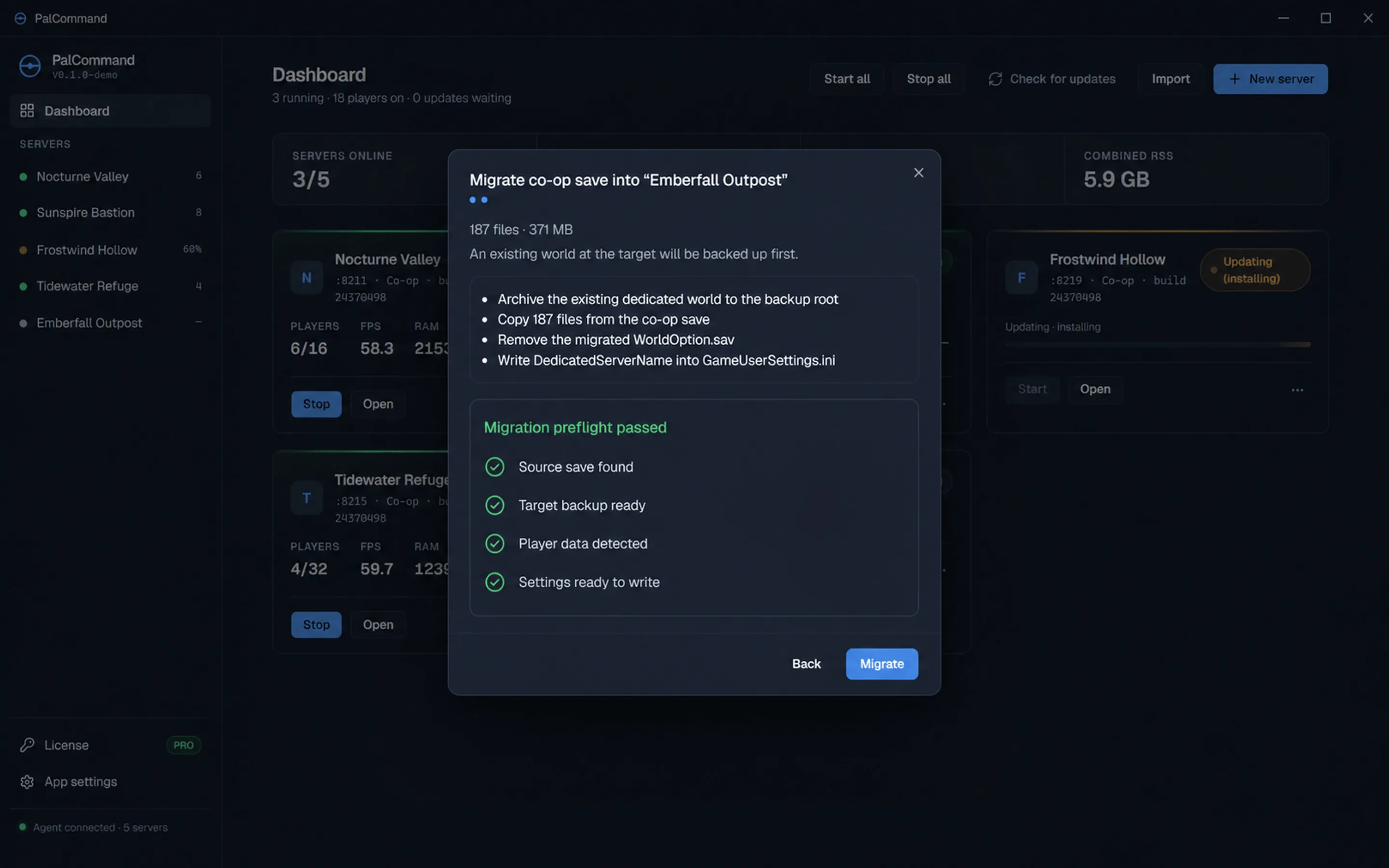
PalCommand finds the co-op save, shows the destination and backup plan, warns about the host-character issue, and reports exactly what it copied.
Why move
Let the group play without waiting for the original host.
A dedicated server keeps the world separate from any one player session. When the Windows host PC and server are running, friends can join on their own schedule while the group keeps using the same world.
- Keep
- The shared world and its history
- Gain
- Dedicated-server schedules, backups, monitoring, and settings
- Avoid
- Starting the group's progression over from zero
Migration preflight
Review the plan before any files are copied.
- 01Choose the source
Pick a co-op save PalCommand found, or choose its folder manually.
- 02Read the preflight
Review file count, size, destination, previous-world backup, and known warnings.
- 03Acknowledge host risk
If the known host-GUID condition applies, migration stays disabled until you understand it.
- 04Copy and report
See the files copied, where the previous target world was backed up, and whether WorldOption.sav was removed.
Known Palworld limitation
Know the host-character limitation before you copy.
Some co-op host characters can migrate under a placeholder identifier. Logging in before that is repaired can silently delete the host's Pals. PalCommand detects the condition it can identify, explains the consequence, links known community repair tools, and requires an acknowledgement.
PalCommand warns when it detects the condition and links compatible community repair tools. It does not modify player identifiers itself.
Settings that appear ignored
The hidden file that can override the dedicated server.
WorldOption.savA co-op world carrying this file can silently override PalWorldSettings.ini. The migration report states whether PalCommand found and removed it so dedicated-server settings can take effect.
Review the migration first
Walk through the migration preflight.
Review the source, destination, safety backup, host-character warning, and final report before moving a real save.
Review the migration steps